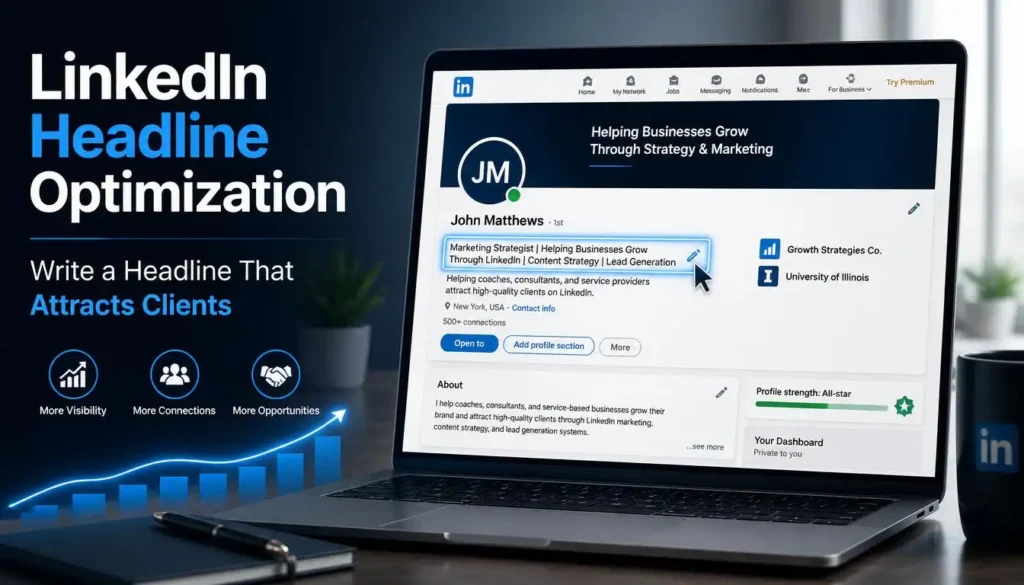
If you want to attract more clients and opportunities on LinkedIn, one of the first things you need to get right is your profile headline. In this article, we will talk about LinkedIn profile optimization and, more specifically, about how to write your LinkedIn headline and what to include in it.
Contents
- Benefits of LinkedIn Profile Optimization
- What To Do Before Optimizing Your Profile
- The Biggest Mistake People Make in Their LinkedIn Headline
- 5 LinkedIn Headline Formulas With Examples
- Formula 1: Results + For + Specific Audience (+ How)
- Formula 2: I Help [Audience] Achieve [Results] By [Service or Skill]
- Formula 3: [Your Role or Skill] | Helping [Audience] With [Outcome or Results]
- Formula 4: Helping [Audience] Achieve [Benefits] Using [Niche or Skill]
- Formula 5: [Niche or Skill] for [Audience Type] to [Exact Goal]
- Important Notes About LinkedIn Headlines
- How to Update Your LinkedIn Profile Headline
- FAQs
- Conclusion
Benefits of LinkedIn Profile Optimization
When someone visits your LinkedIn profile, they are seeing your digital identity. If your profile is optimized, you can guide your audience to take the action you want them to.
Whether you want them to hire you, purchase something from you, or click a specific link to visit a website, an optimized profile helps you achieve those targeted results with your target audience.
The key point is this: you can make people do exactly what you want, but only if your LinkedIn profile is properly optimized.
What To Do Before Optimizing Your Profile
Before you start optimizing your LinkedIn profile, there are two important things you must do first.
First, narrow down your skills. We have covered this in detail in our article on How to Setup and Optimize Your LinkedIn Profile for Client Hunting. You can go through that first before moving ahead.
Second, decide what you want to achieve from your profile. Ask yourself: what do you want the person who visits your profile to do? Should they hire you? Purchase one of your services? Click on a link? Send you a message?
You must decide this first, because your entire LinkedIn profile will be optimized based on that specific goal. For example, if your goal is that the visitor should hire you, then your profile will be set up accordingly.
The Biggest Mistake People Make in Their LinkedIn Headline
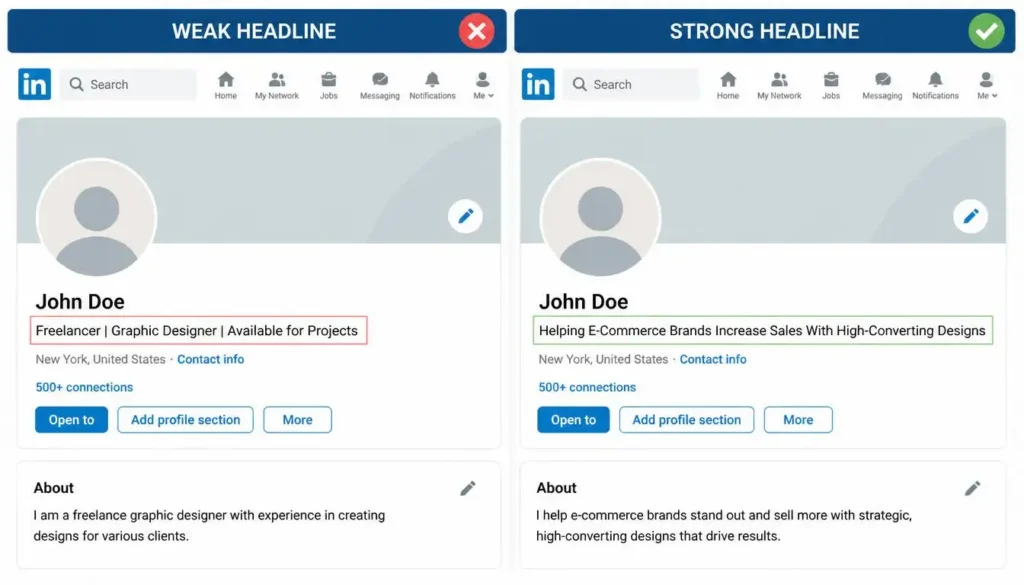
The main mistake that people make in their profile headlines is that they do not make their value clear. People usually describe themselves. They write things like:
- “3 to 4 years of experience”
- “Expert in these tools”
- “Available for projects”
But here is the problem. Your audience is not looking for someone to describe themselves. They have a problem, and they are looking for a solution. If your headline clearly shows how you can help them or what value you bring, then that becomes a perfect headline.
Here are some common examples of headlines that people actually write:
- Graphic Designer: Freelancer | Content Creator | Graphic Designer
- Scriptwriter: Available for Script Projects | Proficient in Final Draft
- SEO Expert: SEO Services Offered | Expert in Headline and Summary
- Facebook Ads: Open to Facebook Ads Projects | Meta Certified Professional
- TikTok Specialist: Viral Content Specialist | UGC Strategy | Algorithm Wise
All of these headlines are talking about the person. They tell what the person does, but they do not tell what value the person brings to the audience.
5 LinkedIn Headline Formulas With Examples
Here are five proven headline formulas you can use, no matter what your skill or niche is. You can use any of these formulas for any skill. They are not limited to the specific examples shown below.
Formula 1: Results + For + Specific Audience (+ How)
This formula focuses on the results you deliver, who you deliver them for, and optionally, how you deliver them.
Examples:
- Boosting CTR for Financial YouTubers with Eye-Catching Thumbnails
- Doubling Revenue for Coaches Through Landing Page Designs
Formula 2: I Help [Audience] Achieve [Results] By [Service or Skill]
This formula is clear and direct. It tells who you help, what result they get, and how you do it.
Examples:
- I Help SaaS Companies Boost Conversions by Writing Explainer Video Scripts
- I Help Online Coaches Attract Clients by Writing Engaging Webinar Scripts
Formula 3: [Your Role or Skill] | Helping [Audience] With [Outcome or Results]
This formula starts with your role and then explains who you help and what results you bring.
Examples:
- SEO Specialist | Helping E-Commerce Brands Increase Organic Traffic and Sales
- Technical SEO Expert | Helping SaaS Businesses Improve Website Performance and Ranking
Formula 4: Helping [Audience] Achieve [Benefits] Using [Niche or Skill]
This one highlights the benefits your audience gets from a specific skill or method.
Examples:
- Helping Online Course Creators Fill Their Programs Using Targeted Facebook Ad Campaigns
- Helping D2C Brands Scale Revenue and Profitability Using High-Converting Facebook Ads
Formula 5: [Niche or Skill] for [Audience Type] to [Exact Goal]
This formula is more specific and works well for platform-specific or niche skills.
Examples:
- Short Form Video Strategy for Fashion Brands to Drive Viral Engagement and Brand Awareness
- TikTok Ad Campaigns for Mobile App Developers to Increase Downloads and User Acquisitions
Important Notes About LinkedIn Headlines
Before you finalize your headline, keep these two points in mind.
Character Limit: LinkedIn allows up to 220 characters for your headline. However, your first 60 to 70 characters are extremely important. Whenever you post something or comment anywhere on LinkedIn, only those first 60 to 70 characters are visible, not your full headline. Your full headline is only visible when someone actually visits your profile.
So make sure the first 60 to 70 characters of your headline are the most impactful part.
How to Update Your LinkedIn Profile Headline
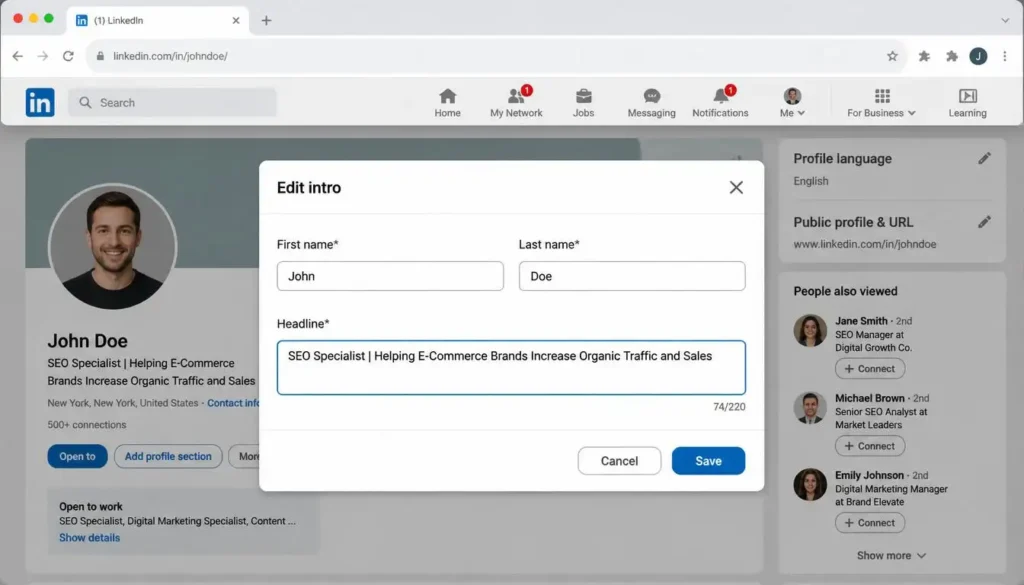
Updating your LinkedIn headline is simple. Just follow these steps:
- Visit your LinkedIn profile.
- You will see a pencil icon on the right side of the intro section. Click on it.
- Scroll down a little. You will see the headline field.
- You can type your headline directly there. Or, if you want to be more careful, write a few options in a notepad first, shortlist them, finalize one, and then copy and paste it into the headline field.
- Click the Save button at the bottom.
Your headline will be saved immediately.
FAQs
What is the character limit for LinkedIn headlines?
LinkedIn gives you 220 characters for your headline. Make sure the first 60 to 70 characters are the strongest part, since those are the only ones visible when you post or comment.
Should I write my experience or tools in my LinkedIn headline?
No. Writing your years of experience or listing your tools is a common mistake. Instead, focus on the value you provide and the results you bring to your audience.
What should my LinkedIn headline focus on?
Your headline should focus on the solution you provide to your audience’s problem. Think about what your target audience needs, and show them clearly how you can help them achieve it.
Conclusion
Writing a strong LinkedIn headline is not about telling people who you are. It is about showing them what you can do for them. Use the five formulas shared in this article, make sure your first 60 to 70 characters are strong, and keep testing your headline over time.
Nothing is perfect from the start. You will get new ideas, understand new things, and figure out which approach works best for you. The key is to keep updating based on what actually gets results.